
1. Limit Labs Glyph
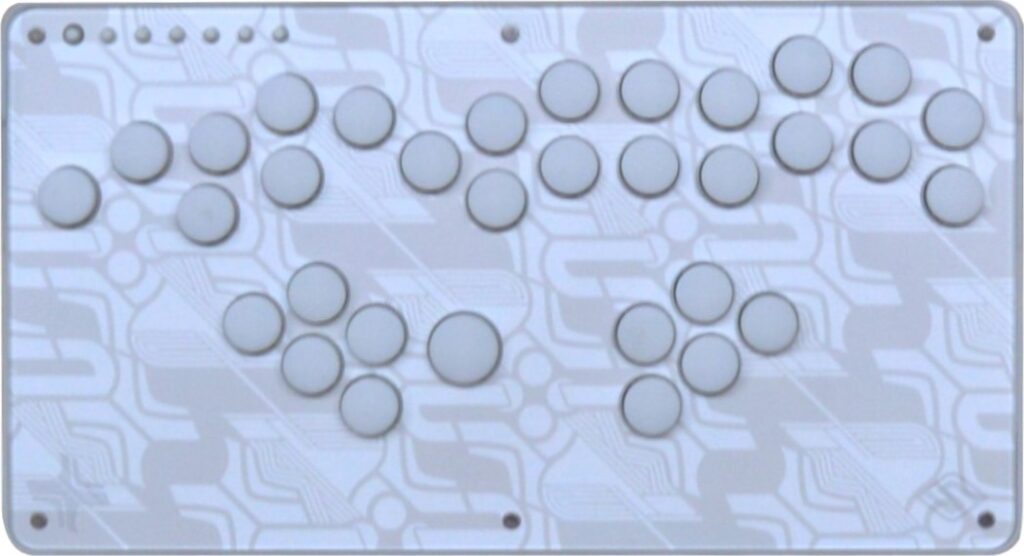
The Glyph is a controller with many buttons because the primary layout is meant to fit different layouts in one, and because this is a modular controller, you can decrease the number of buttons within minutes if you like.
This Limit Labs controller has PBT keycaps and Gateron linear switches known for:
- Short stroke
- Light actuation
- Lube for smooth inputs
MX compatible switches are also viable without needing soldering from you. The Glyph’s keycaps can come off with just your fingers, making the process convenient.
Moreover, there is LED to add beauty to the Glyph. The controller’s color options include arctic white and anodized gold. You can pick the parts’ colors as well.
Glyphs can have diverse compatibility, depending on your order options, and each cable has its own stress relief anchor to protect the USB-C port. Firmware-wise, Haystack built upon the preexisting Haybox firmware, and the controller’s firmware remembers your preferences per console.
Why to Buy
The Glyph is the final boss of modular boxes, and whichever layout you find optimal for Smash, this controller should meet your requirements.
Where to Buy
Buy now from Satisfye
2. FightBox R1-B
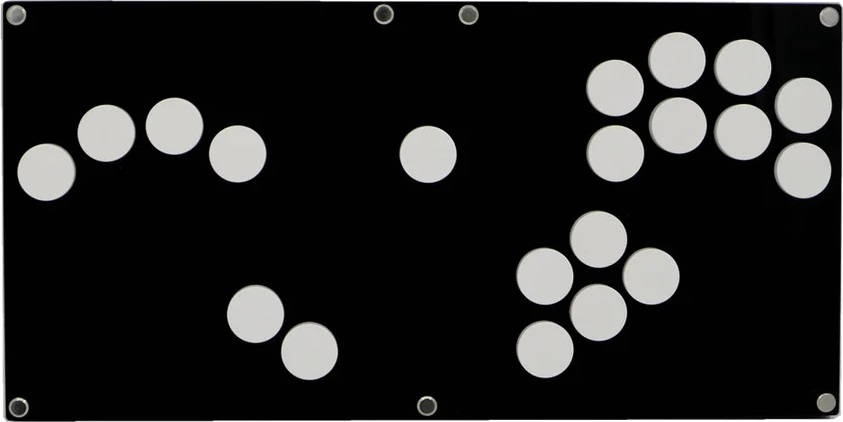
The FightBox R1-B sports the community favorite layout that was popularized by the likes of the Frame1. There are different button colors available, and you can order the controller with a braided USB-C to GameCube cable.
Made of frosted matte-black acrylic, the R1-B was designed for your comfort. There are Cherry MX Black switches, and hot swapping is possible for your convenience.
The ABS keycaps have a light press to them. The PCB is the Raspberry Pi Pico, and the USB type is C, which is the type the fighting game community prefers.
By the way, the R1-B can accept custom artwork, which we at The Arcade Stick can design for you through our custom art service.
Why to Buy
The R1-B is a fantastic entry point for newcomers as well as a solid pick for seasoned box users—having the Smash community’s favorite layout in addition to most other features you’d want in a box.
Where to Buy
Buy now from AliExpress
3. Cross Cut
The Cross Cut uses injection molded Rana Labs PBT keycaps that are durable & smooth, and the hot swappable Gateron Clear/White linear switches are:
- Quiet
- Light
- Fast
Interestingly, the Cross Cut features rumble support with some of the major Smash games. About Rectangle Corner’s own firmware, one thing you can do is remap your way to making certain combos easier.
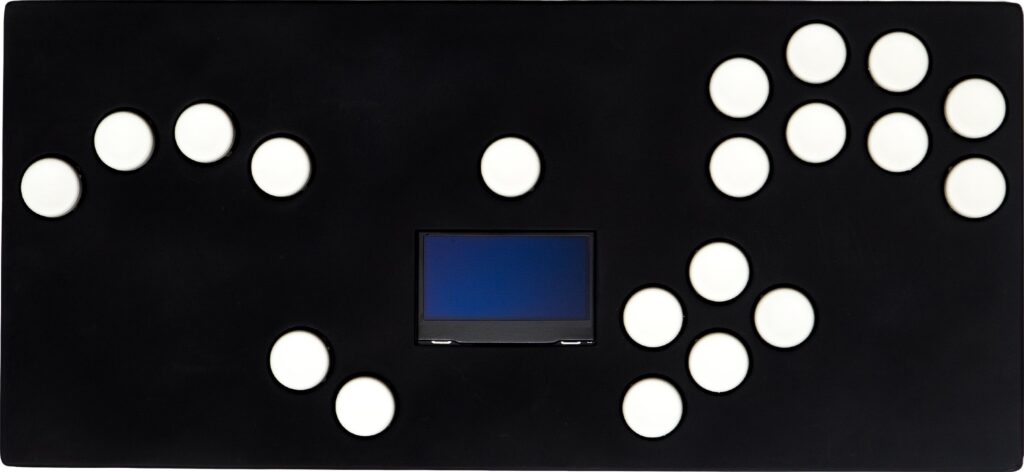
An appreciated hardware component of the Cross Cut is the screen in the middle, and it’s helpful because it provides you information like:
- Which buttons you’re pressing
- Which input mode you’re in
- Which platform you’re on
Now, the GCC port in the back center lets you use the Cross Cut like a contraption, which means you can use a GameCube controller alongside this controller.
If you pop open the Cross Cut, you may be surprised to find a compatibility enhancing dongle already inserted. Back to the bottom, there’s actually some grip there.
Finally, one of the Cross Cut’s customization features is the keycap color. You can choose between black or white, depending on your taste.
Why to Buy
In addition to its endless features, it’s hard to find a box with an info screen like the one that the Cross Cut has.
Where to Buy
Buy now from Rectangle Corner
4. Orca Analog
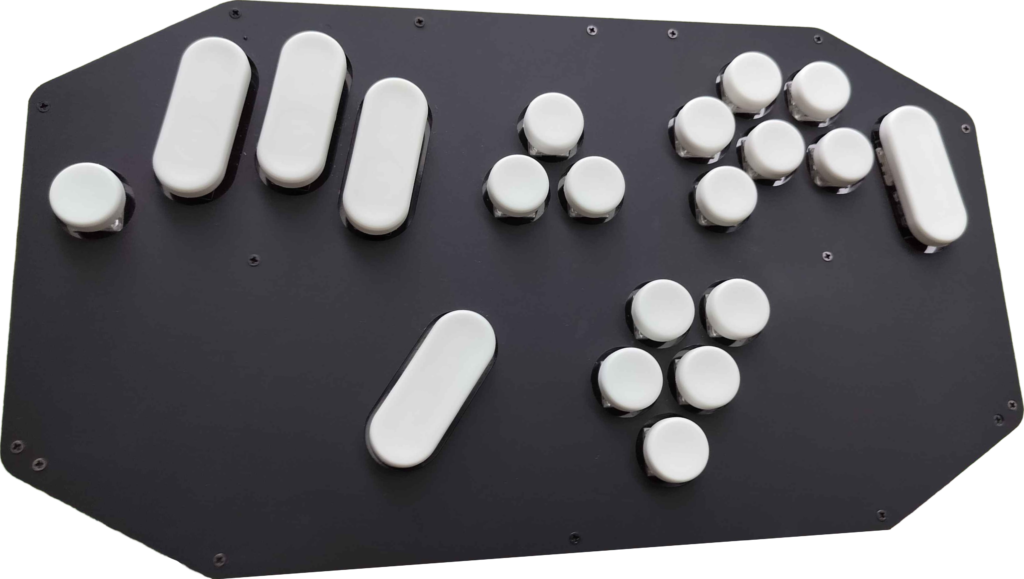
The Orca Analog’s name is based on its inclusion of variable-press analog switches. This controller allows you access to one-button tilt angles as well as two-button wavedash angles.
Add to that a two-stage spring system for physical notch emulation, and if you like micromanaging angled inputs without modifiers, then the Orca Analog may be for you. Also, the controller features true neutral additive SOCD.
With that said, the Orca Analog is an acrylic controller with an aluminum switch-plate. It features a combination of:
- Analog Lekker Linear45 V2 switches
- Low profile Kailh Choc V2 switches
- Digital Kailh Speed Silver switches
The USB adapter mode is native, and a USB-C to GCC adapter should be included with your order as well. For compatibility reasons, the Orca Analog runs on an RP2040 processor. The controller allows for easy software updates.
Why to Buy
The Orca Analog’s mixture of switches—including analog ones—is insane, and its longer buttons give you more surface area to press.
Where to Buy
Buy now from Orca Analog Controllers
5. Superslab
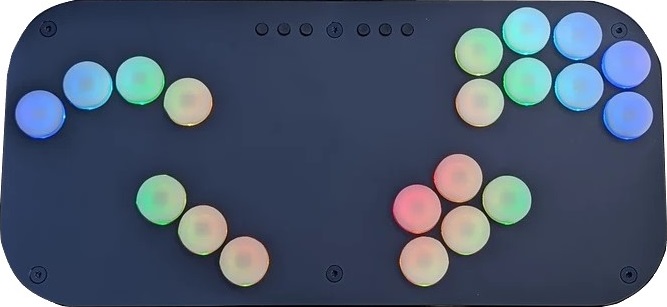
The Superslab is a layered acrylic controller. It’s lightweight in a way that makes it convenient for you to travel without sacrificing stability during play.
Not only that, the Superslab’s custom polycarbonate keycaps utilize Kailh Choc Red Pro switches with sub-millisecond latency, so you don’t have to worry about input delay.
Included with your Superslab order are:
- Foam key dampeners
- Couple of cables
- Bottom grip pad
- Clear art layer
You can also express yourself with LED per button. There are dozens of patterns, including a motion sensing mode and unlimited combinations to suit your taste when using the Superslab.
Why to Buy
The Superslab is the kind of box that’s convenient enough to travel with—without sacrificing performance.
Where to Buy
Buy now from Prong
6. Ultra Arcade Plat Slim

The Plat Slim sports the tried and tested Frame1 layout that’s bound to get you some tournament wins. In essence, the performance quality lies in the 20 Cherry MX switches that are hot swappable for your convenience—and can come in these variations:
| Color | Description |
|---|---|
| Blue | Sharp & tactile |
| Black | Heavy & durable |
| Brown | Subtle & quiet |
| Red | Smooth & quiet |
You see, the Plat Slim is an acrylic controller that’s light despite being wide. It’s wide enough for comfortable lap placement while you’re styling on your opponent in grand finals.
For extra stability, you can order the Plat Slim with foam padding if you want. You may also be glad to know that the USB-C cable is angled. That said, the acrylic is offered in transparent, opaque, and also matte options like:
- Black
- White
- Purple
- Frosted
You can even choose opaque buttons in your preferred color(s). Another optional choice is having image or text laser engravement on your Plat Slim—or custom art.
Why to Buy
The Plat Slim allows you to pick the switch variant, acrylic type, button color, and custom art. You can then pack this slim & light controller into your backpack, and travel to the next tournament—utilizing the tournament caliber layout.
Where to Buy
Buy now from Ultra Arcade
7. Granola Plateau

With 21 buttons, the Granola Plateau has what you need to dominate in-game. Through Kailh Choc V2 Red switches—linear with a light to moderate actuation force—the textured keycaps are responsive. Yet, the switches are hot swappable without soldering.
Fortunately, the Plateau comes with a non-slip silicone pad you can apply to the bottom for stability purposes. Otherwise, the controller is portable and sized like a tablet.
The Plateau is printed from PLA Pro for rigidity and durability. The controller is a single piece, meaning toolless disassembly and repairs.
Regarding compatibility, the Plateau uses an RP2040 chip and runs on the Haybox firmware—both great picks. It’s also awesome that this controller’s cable is braided. Finally, you can mix and match the parts’ colors as you wish.
Why to Buy
Due to reasons like its small size, the Plateau is most recommended for casual players, but it still has enough features to perform at a high level if you can fit it on your lap at a tournament.
Where to Buy
Buy now from Granola Arcade
8. Leme Tech Mini
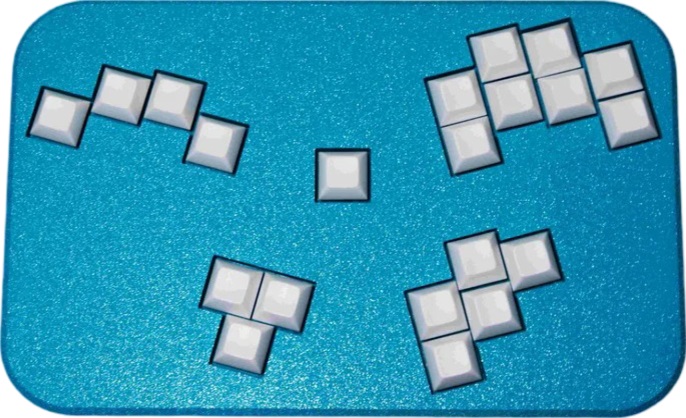
Leme Tech offers a few rad Smash controllers, such as the Mini. This 21 key controller allows you to pick angles via three modifiers—instead of the C-stick (for Melee only). These modifiers are:
- ModX
- ModY
- ModZ
As for the Mini’s keycaps, they’re made of textured PBT. Now, you may be wondering about that one extra key the controller has: you can use this modifier as a D-pad activation key in other game modes, which include Smash, Rivals of Aether, and so on. In any case, a standard layout is available.
That said, the Mini comes with smooth Gateron Pro Silver switches in the MX style. Fortunately, the switches are hot swappable, so if you have another preference, get swapping!
Moving onward, the Mini’s USB-C port is located in its center back, and for your convenience, you should be getting a USB-C to GCC cable with your order.
Structurally, the Mini is 3D printed from durable PETG. More than that, the bottom panel is made of aluminum. If you have the luck of the Irish, you may find all of the following enclosure colors in stock:
- Indigo
- Black
- Emerald
- Dark gray
If you’re still not sold on the Mini’s concept, Leme Tech’s logic behind it was to make angle access to techniques like Firefox simpler—while opening up more options for techniques like wavedashes.
The result is seven granularity levels for every quadrant—all accessible, all the time—so if this kind of leverage interests you, don’t hesitate to give the Mini a look.
Why to Buy
The Leme Tech Mini is a smooth transition for PC gamers who would like a box that uses keys.
Where to Buy
Buy now from Leme Tech
9. PadBox GS

The PadBox GS is like half a rectangle with an analog stick and D-pad. The D-pad can be joined, round, or split. For example, the controller can use a split D-pad with Omron microswitches—clicky switches with satisfying tactility.
About the analog stick, it features the Hall effect—with magnetic sensors that eliminate drifting to ensure smooth controls. Regarding the switches, they’re the low profile Kailh Choc V2 Reds that are hot swappable, fast, precise, and with smooth actuation.
The 23 mm grippy buttons (13 of them) are a bit textured, and they’re easy to replace if needed. Moreover, it’s nice how LED can shine through these buttons. That said, the PadBox GS runs on the open source Hoja firmware that gives you:
- Button remapping
- Joystick calibration
- Input tuning
- Web config
Thanks to the USB-A passthrough, you can order a dongle to make the PadBox GS compatible with additional modern consoles. In closing, it’s awesome how you can order this controller in at least seven colors.
Why to Buy
It’s tough to find a hybrid controller like the PadBox GS elsewhere—as it has 13 buttons, a D-pad, and an analog stick.
Where to Buy
Buy now from Arkodd
10. The Schism
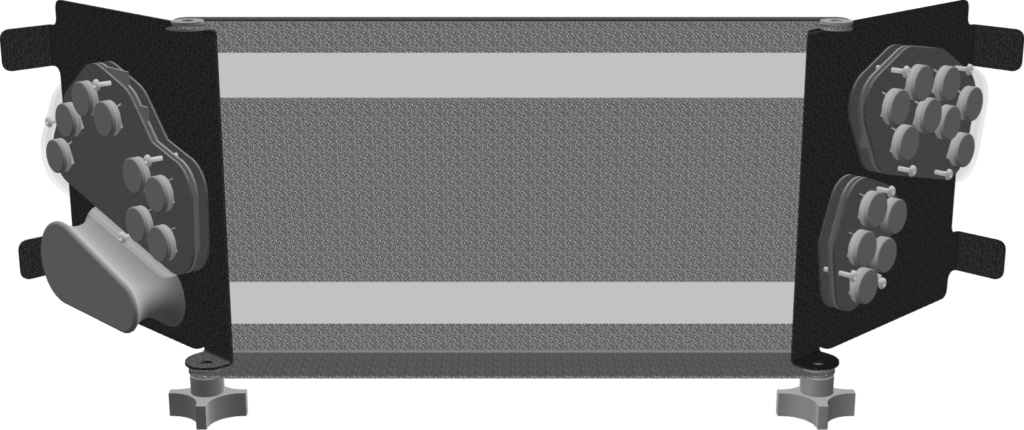
The Schism is an ergonomic controller. When done with a gaming session, you can just fold the controller to close it. The controller’s layout is based on the B0XX, but the locations, angles, and spacing of the right & left action clusters are tweaked. They are distally rotated along the roll axis, eliminating any need for forearm pronation and ulnar deviation.
You can relax your fingers into a naturally curled position with The Schism, improving reaction time too. The close spacing of the keycaps allows your entire thumb to activate the action cluster of five buttons with minimal movement.
If you like concave keycaps, then the injection molded bjart keycaps should be your thing. As for the Gateron Clear switches, they are:
- Light
- Linear
- Smooth
The Schism is not much of a burden to place on your lap, so you can enjoy a seamless experience when using it. The controller is made of three pieces of metal with stainless steel screws and nylon knobs & washers to protect your controller’s finish, which is available in different colors.
A third party adapter can enhance The Schism’s compatibility, and you can make adjustments to the controller on the fly, thanks to the open frame design of its modules. Basically, each module is secured by magnets.
Why to Buy
The Schism allows you to relax your fingers into a naturally curled position in a way that also improves reaction time.
Where to Buy
Buy now from WunVzn