

| Price | Mixboxarcade |
| Release | Late March 2018 |
| Compatibility | NS2 / PC |
| Dimensions | 14.9” x 9.0” x 2.4” |
| Weight | 5.5 lbs |
| Cable | 3 m |
Introduction
The Mixbox’s name comes from mixing keys with buttons. For the most part, the keys are for directional inputs, and the buttons are for attack inputs.
There are actually multiple Mixbox series, such as:
- Mixbox U
- Mixbox K
- Mixbox R
- Mixbox S
U, K, R, and S stand for Universal, Key(s), Reverse, and Spacer respectively. That said, let’s focus on the Mixbox S+ specifically—because it’s most conducive to your tournament winning goals. Find out how by reading on!
Performance
The Mixbox S+’s four keys are in a WASD layout—plus a fifth key: a spacebar. You can also request that the WASD keys are rotated by 12°. These keys are bolstered by Cherry MX Red linear switches with no audible click or tactile bump.
If you prefer other switches, you can hot swap the stock ones. Otherwise, you can order Cherry MX switches for the Mixbox S+ in these combinations:
- Red and Silver
- Red, Silver, and Black
- Red, Silver, Black, and Blue
Moving on, the Mixbox S+’s attack inputs are Sanwa buttons with optimal travel distance and a satisfyingly moderate sound. Furthermore, they’re in the popular Vewlix layout.
The Mixbox S+’s buttons are special in a way that the eight main buttons are big, whereas the five extra buttons are small. These extra buttons are for:
- Up
- LS
- RS
- Back
- Up
Of course, you can remap the Mixbox S+’s buttons via software if you like, but we did want to tell you what the four function buttons do as well:
- Turbo
- View
- Home
- Menu
The Mixbox S+’s function buttons can be found in its back right—arguably a more convenient location than the right side one we saw back in the day.
Needless to say, the Mixbox S+ features SOCD cleaning like leverless controllers do, and its 11° sloped front panel is there for your wrists’ health.
Hardware
The Mixbox S+ is a heavy metallic controller with plexiglass on top, and it’s finished smoothly. Further, its long USB cable goes inside a deep compartment that has a detachable door.
You see, the Mixbox S+ runs on the open source GP2040-CE firmware that’s low latency. Not only that, the PCB has a built-in EXT port for USB-A dongles to extend the controller’s compatibility options.
Appearance
The Mixbox S+ has planetary artwork with a blue and red color scheme. In fact, the keys & buttons are also a mixture of blue and red. Well, the spacebar is black, and so is the enclosure.
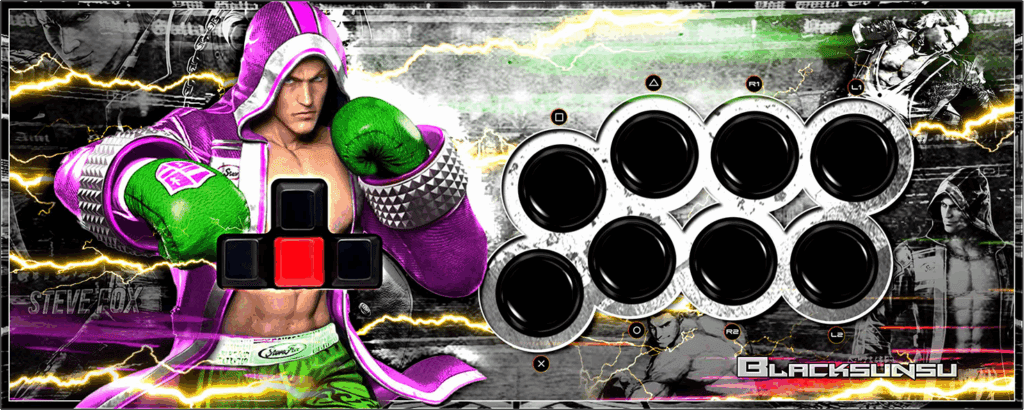
Now, you’d want to know that the Mixbox S+’s plexiglass can be screwed right off for art customization. If you’d like custom art, our artist Carlos Martinez designed art for the Mixbox before, and he can design art for yours as well:
Conclusion
If you’re a keyboard player who’d like to transition to arcade controllers, the Mixbox S+ is a great transition—as it gives you WASD keys, a spacebar, extra buttons, and more.
- Swappable Cherry switches
- WASD plus spacebar
- 13 Sanwa buttons
- Different layouts
- Turbo support
- SOCD cleaning
- Customizable art
- Sloped front panel
- Plexiglass on metal
- Detachable cable door
- Extendable compatibility
- Too heavy for some
Rating
⭐⭐⭐⭐⭐