

| Price | Shinonome Arcade |
| Release | June 28, 2025 |
| Compatibility | PC |
| Dimensions | 13.0″ x 6.5″ x 0.5″ |
| Weight | 1.78 lbs |
| Cable | 1.5 m |
Other Edition
Introduction
“Magnetic Tempest!” That’s what Magneto used to say when dominating his opponents in Ultimate Marvel vs. Capcom 3. However, in the fightstick world, the tempest word is more closely associated with the Tempest Touch by Shinonome Arcade. This controller’s most exciting design element is its unique button layout that we’ll dive into shortly.
Unboxing
Enjoy your Tempest Touch packed in a plastic bag, which is also packed in bubble wrap. With it, you should find:
- Seven anti-slip feet
- Branded keychain
- USB-C to A cable
- Info manual
Performance
The Tempest Touch has 14 buttons, and its two extra buttons are for L3 & R3. Instead of being where your left and right thumbs are, these extra buttons are stacked vertically to the left of the attack buttons. This split layout is unique, and you’ll likely use your right index finger & right thumb to press the useful extra buttons.
More than that, the Tempest Touch utilizes low profile Kailh Choc V2 switches that are hot swappable for your convenience. Choc V2s are shorter than Cherry MX switches. In addition, there are four tactile function buttons for:
- Touchpad
- PS/home
- Create/select
- Options/start
By the way, if your Tempest Touch’s acrylic arrives with edges that are too rugged and/or sharp for your palms, then you can chamfer it yourself using any tool you find appropriate.

Hardware
The Tempest Touch is a light and slim controller that’s one of the widest out there. This means comfortable placement on your lap. That said, we do recommend applying the anti-slip feet because the controller may slide without them.
Now, the Tempest Touch features the popular Raspberry Pi Pico chip—running on the open source GP2040-CE firmware. On the controller’s right side, you can find a USB-A port where you can insert your own converter to extend the console compatibility options. Otherwise, the cable can go into the USB-C port roughly in the back center.
Full disclosure: Shinonome Arcade assembles the Tempest Touch by hand using acrylic, plastic, and 3D printing, so minor scratches & cracks are possible—if not inevitable.
Moreover, the fact that the Tempest Touch has no bottom corner screws may ruffle your feathers. However, the acrylic over there should only start coming off if you deliberately lift it up.
On the bright side, you can reinstall the screws the other way so you see their side that doesn’t have grooves. Furthermore, the Tempest Touch has two lanyard loops that can be found in its back left and back right.
Appearance
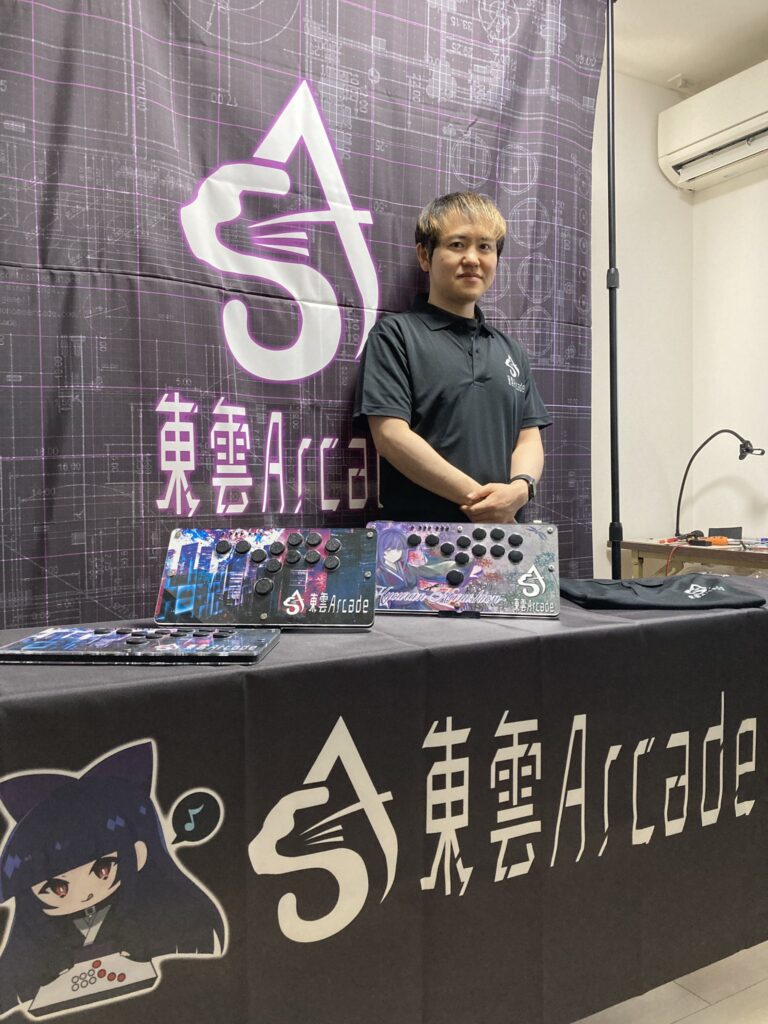
The controller looks white by default because you can see its main PCB through the clear acrylic. Though, your unit may arrive with black Tempest Touch art on the side. Another option is completely custom art, which we at The Arcade Stick would love to provide you through our dedicated service.
Basically, you sandwich the print between the first and second top layers. Whichever look you end up choosing, the black cable should still fit the Tempest Touch’s vibe.
Another thing you can do to make your Tempest Touch more beautiful is to activate its custom LED. There are multiple modes, and they provide you different ways to make the lights shine around the buttons & sides.
Finally, the Shinonome Arcade keychain is white, circular, and can be used to take you straight to the company’s website on your phone.
Conclusion
The Tempest Touch’s unique button layout & sheer width are enough reasons to order it through a proxy service if you’re not living in Japan right now—and improve your win-loss ratio.
- 14 main buttons
- Choc V2 switches
- Wide, slim, light
- Anti-slip feet
- Custom LED
- Custom art
- Free keychain
- Lanyard loops
- GP2040-CE firmware
- Raspberry Pi Pico chip
- Extendable compatibility
- Possible imperfections
- Some screws omitted
- May need chamfering
Rating
⭐⭐⭐⭐⭐