
| Price | Amazon & AliExpress |
| Release | Circa July 28, 2026 |
| Compatibility | PC / Android |
| Dimensions | 16.2″ x 10.9″ x 5.0″ |
| Weight | 6.6 lbs |
| Cable | 2 m |
Q4 Edition
Introduction
Quick lore: The Qanba Q4 was one of The Arcade Stick cofounders’ first fightsticks. Surprisingly, its design still holds up today. In fact, it’s one of those fightsticks that feel like they’re from the future—with features that even fightsticks from the generation after it don’t always have.
Fast forward to today, and Qanba came up with the Q4 Pro. This new fightstick brings you a similarly innovative design—this time with 11 buttons for modern games like Street Fighter 6. Gotta map your Drive buttons somewhere, right?
Not only that, the Q4 Pro innovates in more ways that we’ll dive into. To the best of our knowledge, here are the highlights of the improvements over the Q4 (while some positive features stayed the same):
| Feature | Q4 Pro | Q4 |
|---|---|---|
| Joystick LED | Yes | No |
| OLED display | Yes | No |
| Wireless option | Yes | No |
| Magnetic panel | Yes | No |
| Non-slip pad | Yes | No |
| Detachable cable | Yes | No |
| Cable compartment | Yes | Yes |
| Sanwa parts | Yes | Yes |
| Button layout | Vewlix | Vewlix |
| Button count | 11 | 8 |
Unboxing
Your new Q4 Pro should be arriving with:
- Octagonal gate
- Two extra buttons
- Wireless receiver
- USB-C cable
- User manual
Performance
As usual with Qanba’s bestselling brand, the Q4 Pro uses some of the best parts known to man:
- Sanwa joystick
- Sanwa buttons
Basically, the Q4 Pro’s joystick is clicky, responsive, moves uniformly, and goes back to neutral smoothly. The buttons are also clicky, responsive, move uniformly, and spring back up after every press nicely. Moreover, the buttons are light and sound satisfying. The buttons’ volume can be described as moderate.
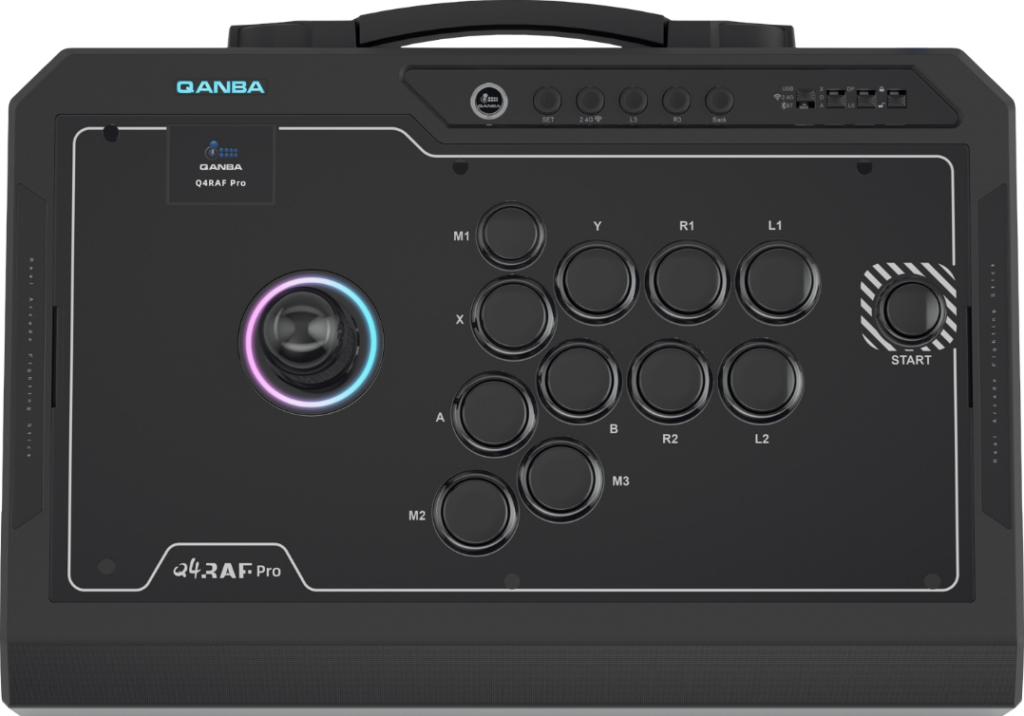
Though the Q4 Pro uses the typical Vewlix layout, something rare is that its start button is to the attack button cluster’s right. Since this start button’s place is nearby, some players might press it accidentally.
Now, you’re probably most interested in the Q4 Pro’s three additional buttons, probably the main reason Qanba came up with this fightstick. You can expect to press these three additional buttons with your index and thumb.
(Tip: You can activate the turbo setting on your Q4 Pro to press a button once but then have that one button press result in rapid button presses in-game.)
That said, there are five function buttons above the Q4 Pro’s attack button cluster labeled:
- Set
- 2.4G
- L3
- R3
- Back
And to the right of those function buttons are the Q4 Pro’s four toggles labeled:
- USB / 2.4G / BT
- X / D / A
- DP / LS
- Lock / unlock
Hardware
It goes without saying that the Q4 Pro is one of the biggest and heaviest fightsticks to date. Interesting features include:
- Retractable carrying handle
- Big rubber non-slip pad
- Four rectangular feet
- Wrist slope
- USB-C cable compartment
That USB-C cable compartment is on the Q4 Pro’s left side, whereas the USB-C port is in the back right. Otherwise, this fightstick can connect wirelessly by way of Bluetooth or 2.4G. You can use the included wireless receiver. The 1,200 mAh battery allows you 32 hours of extended play before needing another charge.
(For your information, the 8,000 Hz polling rate is considered ultra high, and the 0.125 ms or less input latency is considered ultra low. Note that the Q4 Pro may or may not be compatible with Mac.)
Here’s what you can expect to adjust with the Q4 Pro’s OLED smart display:
- Screen setting
- Polling setting
- Turbo setting
- Button setting
- Local setting
- LED setting
Appearance
The flagship Q4 Pro model is primarily black with a black non-slip pad and geometric pattern down there. Unfortunately, there is some text that includes product details in the middle of the non-slip pad that distorts the elegant look. Not just that, the black USB-C cable has a blue tip in a way that may interfere with the color scheme.
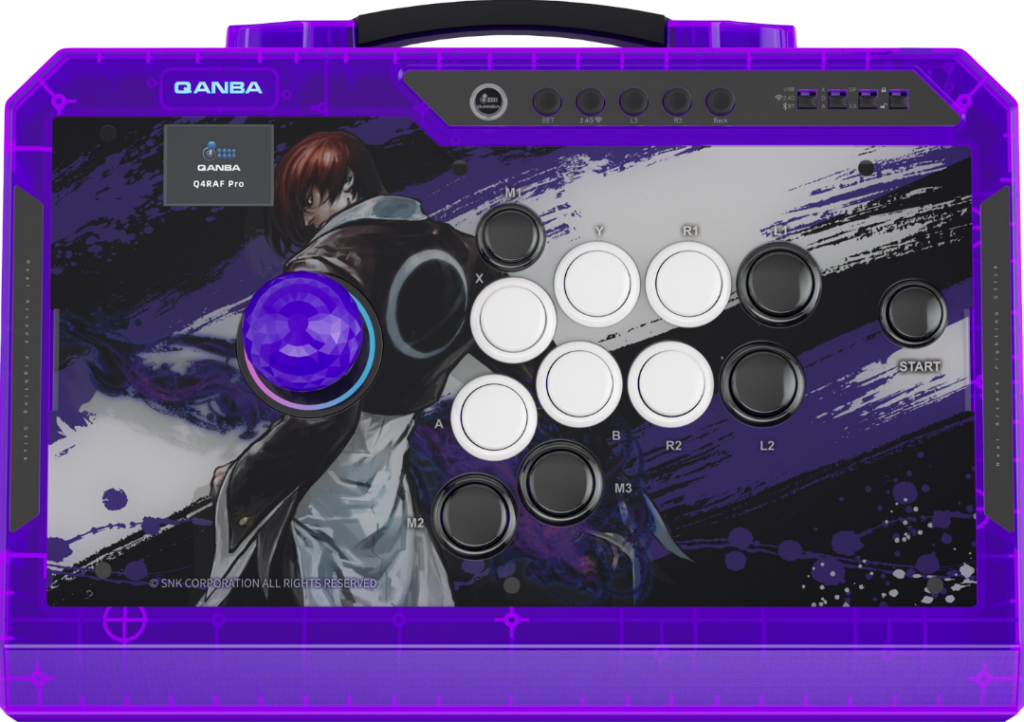
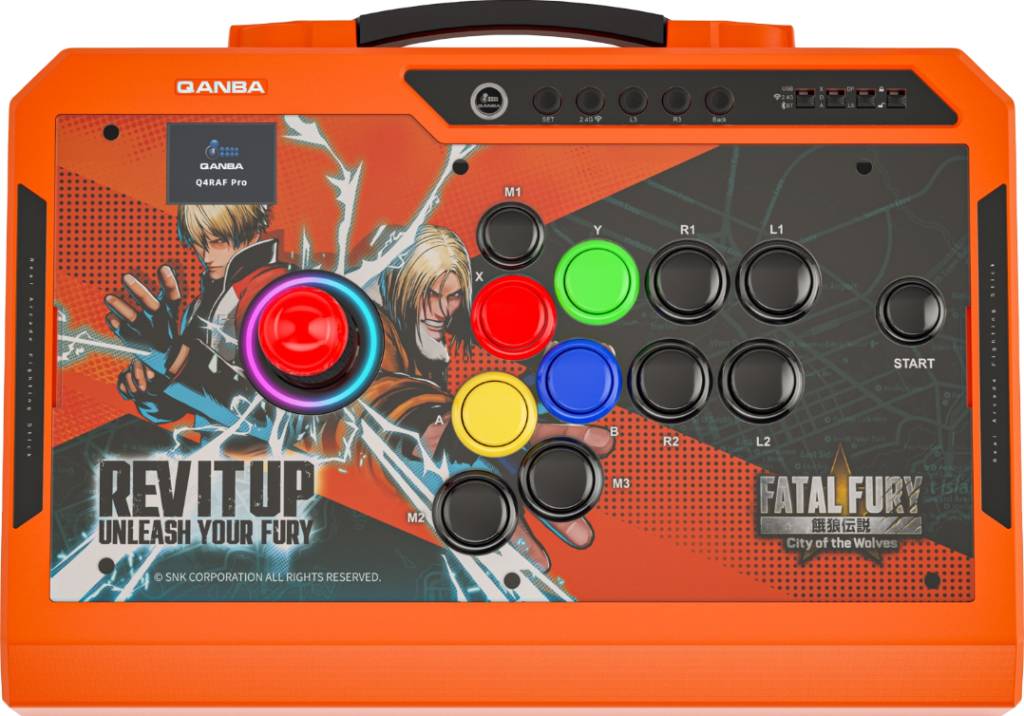
On the bright side, the Q4 Pro has RGB lighting around its joystick. Also, the fightstick is available in The King of Fighters and Fatal Fury artworks upon its release, which are purple and orange respectively. As for the characters featured:
- Iori (from The King of Fighters)
- Rock & Terry (from Fatal Fury)
For other Q4 Pro artworks, we at The Arcade Stick actually have a custom artwork service. For example, check out this artwork that our designer Carlos Martinez made for his client’s Q4:
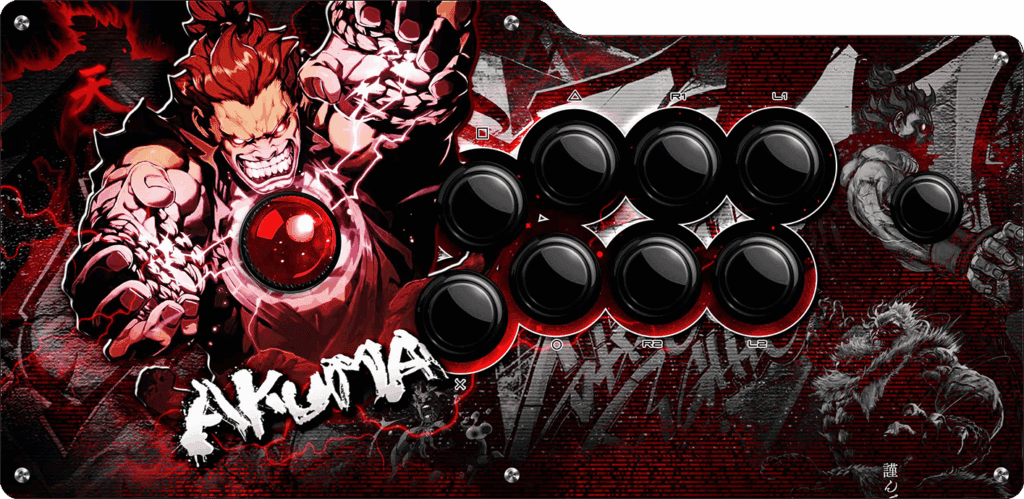
To customize the Q4 Pro’s artwork, you might be better off getting a UV print onto a brand new panel. This fightstick has a magnetic quick-release panel that allows you to quickly swap out panels in modular fashion.
Conclusion
With 11 Sanwa buttons, the wireless Q4 Pro lets you play modern games like Street Fighter 6 more easily, especially because the joystick is Sanwa too. When not playing, you can conveniently carry the fightstick using its carrying handle. For artwork customization, the magnetic panel is a lifesaver.
- 11 Sanwa buttons
- Sanwa joystick
- Joystick LED
- Vewlix layout
- Turbo setting
- Wrist slope
- Grippy bottom
- Magnetic panel
- Custom artworks
- Carrying handle
- Cable compartment
- USB-C, 2.4G, or Bluetooth
- Start button location
- Black cable with a blue tip
Rating
⭐⭐⭐⭐⭐
Links
- Qanba China (Fatal Fury)
- Qanba China (KoF)
- Qanba China (Black)
- Qanba USA (Black)
- Qanba Global (Black)
- Amazon (Black)
- AliExpress (Black)