
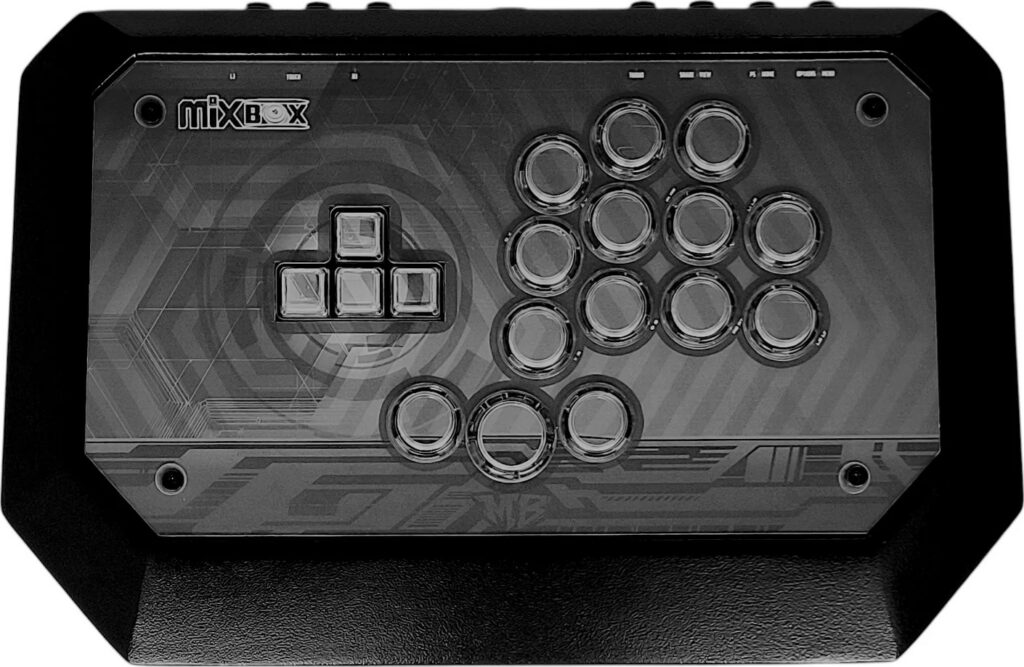
| Price | Mixboxarcade |
| Release | August 27, 2026 |
| Compatibility | NS2 / PC |
| Dimensions | 15.0″ x 9.4″ x 1.4″ |
| Weight | 3.5 lbs |
| Cable | 3 m |
Introduction
The Mixbox was one of the first controllers—if not the first controller—that mixed keys with buttons. Basically, you press the keys with your left hand’s fingers for directional inputs, whereas you press the buttons with your right hand’s fingers for attack inputs.
Fast travel to today, and we now have the Mixbox 2, which improves upon the first Mixbox in ways that you can explore further in this article.
Unboxing
Check out the Mixbox 2’s main box contents:
- OEM keycaps
- USB-C cable
So, the Mixbox 2’s USB-C cable is detachable, and you can replace its XDA keycaps with OEM keycaps (if you prefer the latter’s profile). Otherwise, the key height is actually adjustable to your preference.
Performance
You can say that the Mixbox 2 has three layouts in one:
- WASD
- Leverless
- Hitstick
For a WASD layout, you can just use the Mixbox 2’s four keys and eight attack buttons. For a leverless layout, you can use three keys with the big thumb button as a jump button. For a hitstick layout, you can perform “hitstick” motions by using the three buttons above the attack buttons, jump button, and keys simultaneously.
That said, the Mixbox 2’s attack buttons are in the Sega 2P layout, which is a convenient and understandably popular layout.
Now, let’s talk switches. The Mixbox 2’s keys use rare Pulse Red switches that boast these properties:
- 0.8 mm actuation point
- 1.2 mm total travel
Compared to Cherry MX Red switches, the Mixbox 2’s Pulse Red switches have an internal precision insert that results in a faster response without sacrificing the smoothly linear feel.
Yet, your Mixbox 2 can still use Cherry MX Red switches… In fact, the buttons can use any of these switches:
- Cherry MX Red
- Cherry MX Blue
- Cherry MX Black
- Cherry MX Silver
If none of the above switches strike your fancy, you should be able to hot swap them with other high profile switches and personalize your Mixbox 2 experience further.
About the Mixbox 2’s seven function buttons, you can find them in the back in these locations:
| Function Button | Location |
|---|---|
| L3 | Back left |
| Touch | Back left |
| R3 | Back left |
| Turbo | Back right |
| Share/view | Back right |
| PS/home | Back right |
| Options/menu | Back right |
Hardware
The Mixbox 2 is made of 35 mm aluminum. Why 35 mm? This way, the controller has the minimum 33 mm depth needed to house premium buttons like Sanwa.
Moreover, the Mixbox 2 brings back the first Mixbox’s 11° wrist angle so you can play for longer without needing to pay a visit to the wrist doctor.
Need to go inside your Mixbox 2? It has a screwless opening, so you don’t need to whip out the Makita kit just yet to open this baby up.
By the way, you can play on PC through XInput, and the PlayStation 3 is also compatible with the Mixbox 2. Not only that, there’s a USB port for PlayStation 4 and 5 dongles.
Appearance
The Mixbox 2 is a black controller with gray art that shows through its transparent keys and buttons. Shape-wise, you can consider the controller to be a modified octagon of sorts.
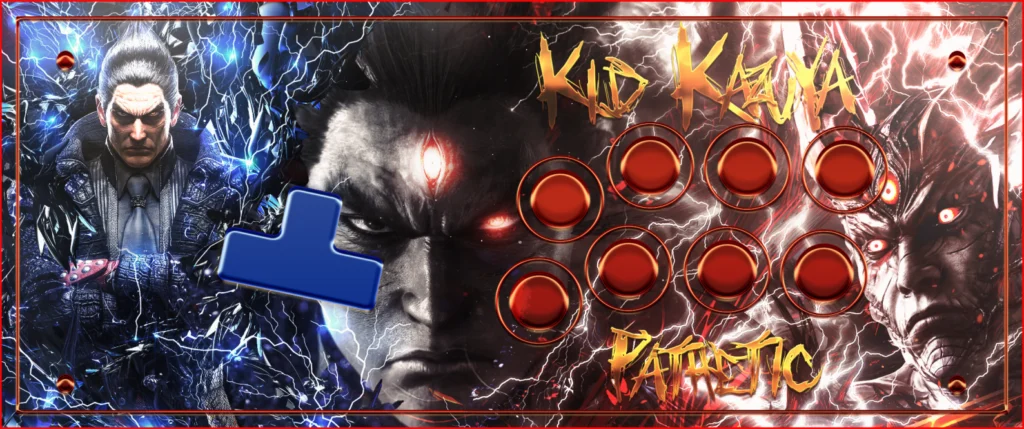
For custom Mixbox 2 art, we’d love to know your instructions here at The Arcade Stick as we have a custom art service, and our artist Budi Kurniawan even made custom art for the Mixbox before:
Conclusion
Has the Mixbox 2 been worth the wait? You be the judge: it adds two more layouts to the first Mixbox, and it’s a metallic powerhouse with its endless features.
- Three layouts in one
- Sega 2P layout included
- XDA or OEM keycaps
- Adjustable key height
- Sanwa compatible
- Turbo support
- 11° wrist angle
- Aluminum hardware
- Screwless opening
- Detachable cable
- Expandable compatibility
- Pulse Red & Cherry MX switches
- See-through parts
- Customizable artwork