
| Price | Amazon |
| Release | Q2 2025 |
| Compatibility | NS2 / PC |
| Dimensions | 13.4″ x 9.5″ x 1.4″ |
| Weight | 2.58 lbs |
| Cable | 3 m |
Introduction
Who’s excited about the Mad Catz NEKO? It’s about time Mad Catz dipped its toes into leverless controllers, right?! Not only that, this controller has a pretty uncommon button layout that we’ll dive into, but before we do that, you gotta know this fun fact: neko means cat in Japanese. 😸
The NEKO was revealed around the time Evo Japan 2025 dazzled the fighting game community. This controller was designed as a collaboration with Japanese fighting gamers, so you know it’s the real deal. Plus, Mad Catz is one of the oldest and most legendary brands in the fightstick industry.
That aside, the fact of the matter is that the NEKO has standard and tournament editions. Usually, a controller’s tournament edition is more advanced than its standard edition, but in this case, the tournament edition is simpler.
Put simply, the NEKO’s tournament edition firmware only allows button remapping, so no macro programming or turbo support. This is good because it helps the controller be tournament legal. Otherwise, you can go for the standard edition and its firmware.
Speaking of tournament legality, the SOCD cleaning modes of neutral and up priority are available, with last input priority mode being a later release.
Now, a little bit about the NEKO’s unboxing…
Unboxing
The NEKO’s box is one of the nicest ever. It features classic Mad Catz branding, useful information in more than one language, and gives the controller a snug fit. The controller itself should be in a plastic bag with housing in the front and housing in the back. The accessories should be in a couple of little plastic bags.
With your order of a brand new NEKO, you should be receiving the following (for free):
- Braided USB-C to A cable
- Keycap/switch puller
- Mad Catz stickers
- Hex screwdriver
- Manual
Mad Catz went the extra mile by adding a protective layer to the NEKO plus protection for each button, which you can peel off easily before your first use.
Performance
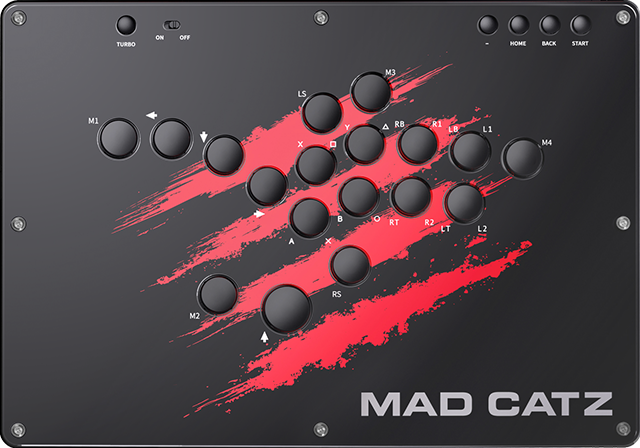
The NEKO has lots of main buttons—precisely 18 of them. One way this is useful is that you can reach the leftmost button with your left pinky, putting it to good use.
Without further ado, the NEKO’s extra buttons are for:
- LS
- RS
- M1
- M2
- M3
- M4
LS & RS stand for left stick and right stick. Also, M1 means macro one, M2 means macro two, and so on. As for the NEKO’s function buttons (from left to right):
- Turbo
- Touchpad
- Home
- Back
- Start
Oh, and there is a key lock to disable the function buttons when you don’t need them. This is another way to keep the NEKO tournament-compliant.
Moving on, the NEKO makes use of low profile Kailh Choc V2 Red switches that are hot swappable and quieter than average, but first, what does low profile mean?
Low profile means you can trigger the buttons fast without a lot of travel distance. Second, hot swappable means you can swap out the NEKO’s switches for another compatible type you may find more convenient—without the need for tedious tools. Even the keycaps are swappable. Otherwise, the stock switches have a 2 mm travel distance with 50 g of actuation force.
Needless to say, the NEKO’s jump button is the biggest button on the top panel, and that is so you can hit the jump button with the side of either thumb—and with ease.
Specifically, the jump button is 25 mm, and the other buttons are 20 mm, but all the buttons are 6.5 mm high. With that being said, most of the NEKO buttons may feel too small for you—or just perfect.
Here is a cool feature of the NEKO: when you press its buttons, which are rimless, they become flush with the top panel instead of being a bit higher or lower. This may help you with button sliding techniques, well, if you use them.
Double tapping is also comfortable with the NEKO’s buttons. At this point, it is worth noting how slim this controller is, and it’s quite light!
That said, a mention-worthy feature of the NEKO is its ergonomic 3.5° slope, which may reduce wrist discomfort after a marathonic gaming session, especially because there is plenty of palm resting space, but honestly, most fighting gamers probably don’t like such slopes.
You can offset the slope by placing the NEKO on your lap and lowering your legs slightly. It’s actually nice how the bottom features an anti-slip pad for each of your legs, meaning two pads total.
If you like to play with a controller on your desk, the NEKO is big enough to do so too. You can do all of that with no rattle. That’s because of the robust structure of the controller that we’ll dive into right now. Shall we?
Hardware
The NEKO has an acrylic top and ABS bottom, the latter of which is a good choice for durability & smoothness, although the controller may feel slippery. Matte acrylic could have solved this. On the bright side, Mad Catz made the right decision by placing the USB-C port roughly in the controller’s center back.
That way, the USB port is less of an obstacle while you play. You may also be glad to know that you can use a converter with the NEKO to make it compatible with more consoles.
Appearance
Back to the USB, the USB-C cable is black, which fits the NEKO’s vibe. About vibes, the controller has the classic Mad Catz look—with a red slash against a black background.
Not your vibe? No problem, you are eight screws away from removing the NEKO’s top panel, taking out the default art, and installing custom art that represents your interests.
In that case, we at The Arcade Stick would love to customize your NEKO’s art. In fact, we have made custom art for Mad Catz controllers before. For example, you wouldn’t believe the results of the Mad Catz TE3 art below that our artist Carlos Martinez designed for one of our clients!
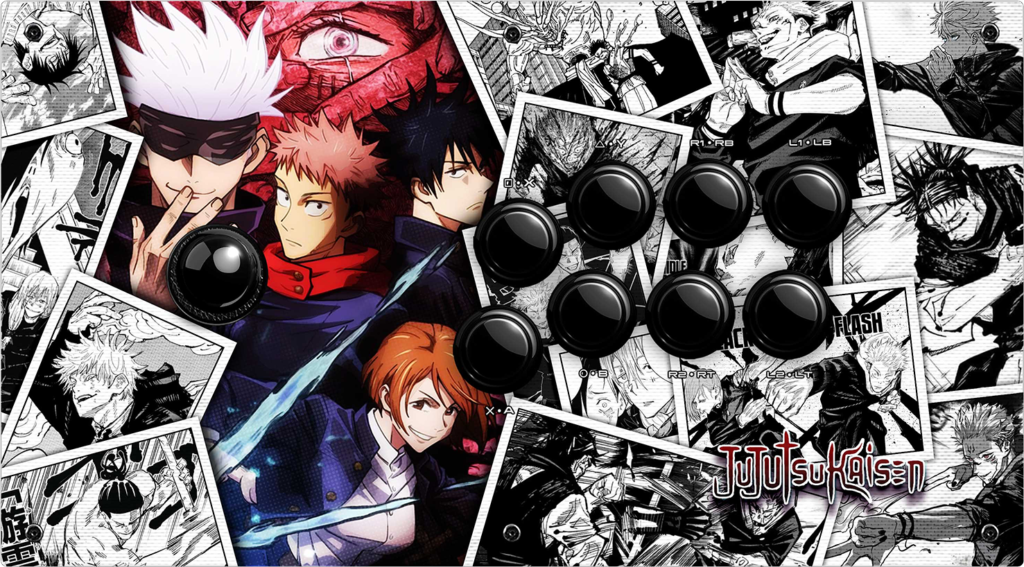
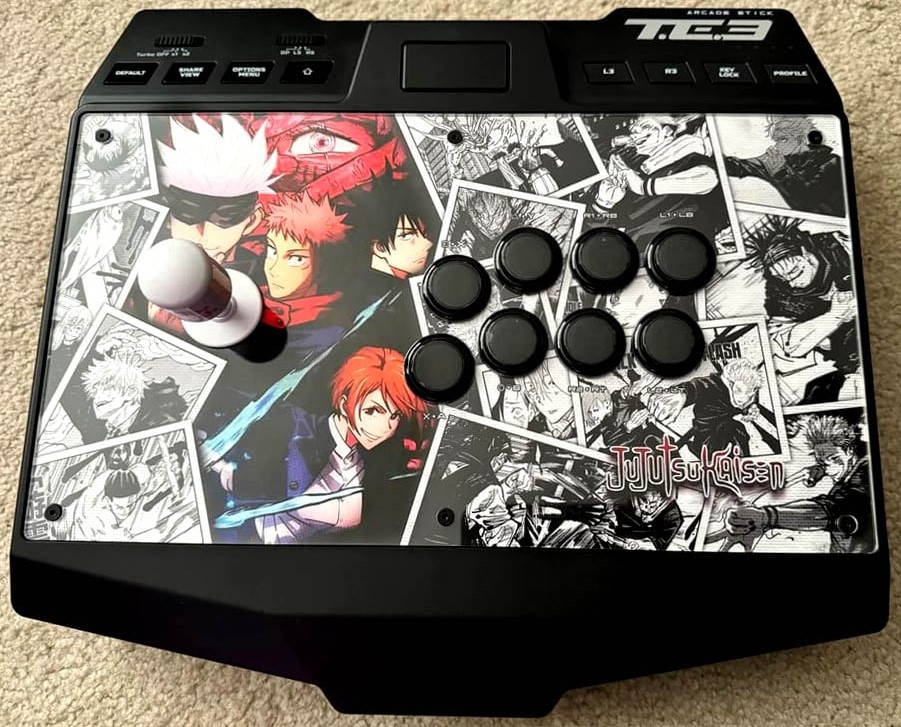
(If you have some NEKO digital art already, we can just print it for you.)
The show is not over though, folks. The NEKO also features custom RGB LED, making it glow up nicely—with different animations you can choose from.
Conclusion
While Mad Catz’ comeback may have been turbulent, the NEKO marks the brand’s official return to glory. Is this controller perfect? Probably not, but this controller is large, has a lot of buttons, and accepts custom art that can make the controller truly yours.
- 18 rimless buttons
- Two edition options
- Hot swap switches
- Swappable keycaps
- Large, light, and slim
- Structurally sturdy
- Acrylic top
- ABS bottom
- Pads per leg
- Braided cable
- Tournament lock
- SOCD cleaning modes
- Extendable compatibility
- Authentic Mad Catz look
- Customizable artwork
- RGB LED animations
- Included freebies
- Sick unboxing!
- Buttons may feel small
- Slope not for everyone
- May feel slippery
Rating
⭐⭐⭐⭐⭐