
| Price | AliExpress & Amazon |
| Release | Circa September 2025 |
| Compatibility | NS2 / PC |
| Dimensions | 11.7″ x 8.3″ x 0.7″ |
| Weight | <1.83 lbs |
| Cable | 2 m |
14 Button Edition
Introduction
You know what? You need to add some joy into your life, and one way you can do that is with the HS-JOY200. However, if its 16 buttons bring you too much joy, you can go for the 14 button edition instead, which is called the HS-JOY110.
Unboxing
Don’t be perplexed if your HS-JOY200 arrives in a box that says it has 14 buttons. This is a 16 button controller. Inside, you should find a USB-C cable and manual. The controller itself should be situated in two pieces of protective housing.
Performance
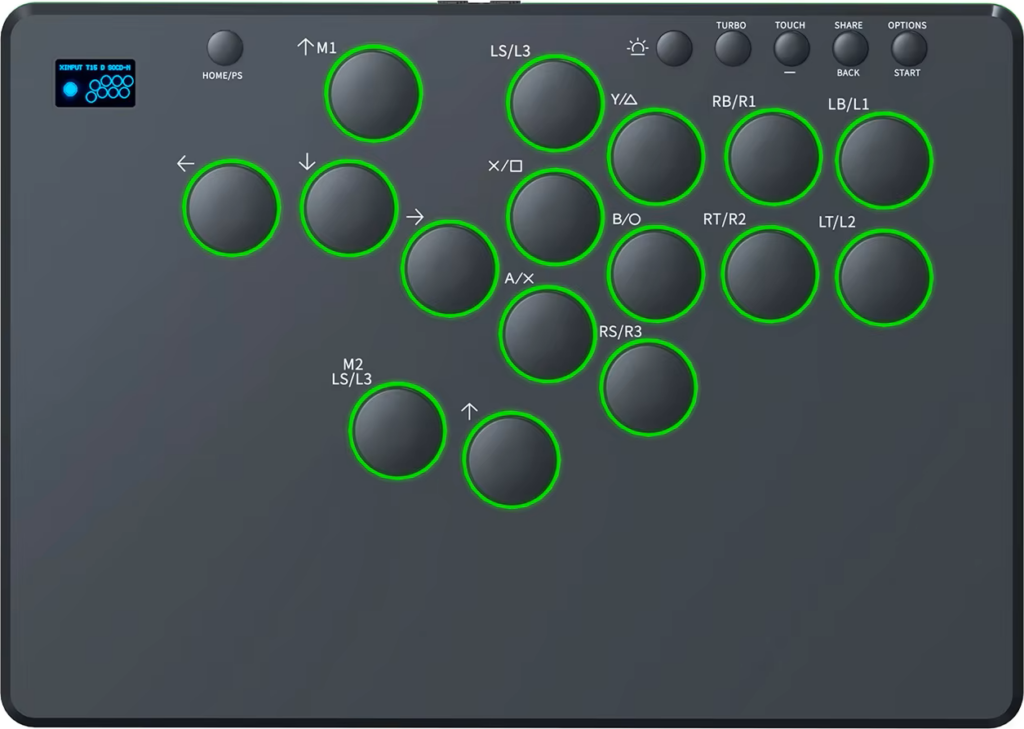
The HS-JOY200’s 16 buttons mean that it has four more buttons than usual. You can press these extra buttons with:
- Left middle finger
- Left thumb
- Right thumb
- Right index finger
You can use your left middle finger to press the W button of the WASD button cluster. This is especially useful to navigate menus or play sandbox-style campaigns in fighting games with your HS-JOY200. Other than that, the right thumb button is a bit raised up the panel compared to the left thumb button.
While we weren’t able to identify the model of the HS-JOY200’s switches, they seem to be generic red switches with a low profile. Attempting to pull off a sick combo with these switches (and buttons) went well. In case you still don’t like these switches, don’t fret: they’re swappable.
Now, let’s list the HS-JOY200’s function buttons (which feel firmer and louder than the main buttons):
- Home/PS
- Light
- Turbo
- Touch/-
- Share/back
- Options/start
(About turbo specifically, you can press one of the HS-JOY200’s eight attack buttons once and have that one press result in 5 to 30 presses in-game.)
Hardware
The HS-JOY200 is a thin and lightweight controller made of a quality plastic called ABS. The controller’s wrist rest is spacious, it fits on a lap, and its anti-slip pad covers most of the bottom, which is appreciated.
What’s also appreciated is the HS-JOY200’s OLED display that shows these details (in this order):
- Input method
- Turbo speed
- Directional mode
- SOCD cleaning mode
The SOCD cleaning modes include neutral, up priority, last input priority, and first input priority. These are good, but one issue with the HS-JOY200’s OLED display is that it shows a joystick and eight buttons (instead of 16 buttons).
On the bright side, you can adjust your HS-JOY200’s settings by way of web configuration, and if you’re wondering where you can insert the USB-C cable, it can go in the back. The USB-C port there is not perfectly in the center; it’s a bit skewed to the left.
Appearance
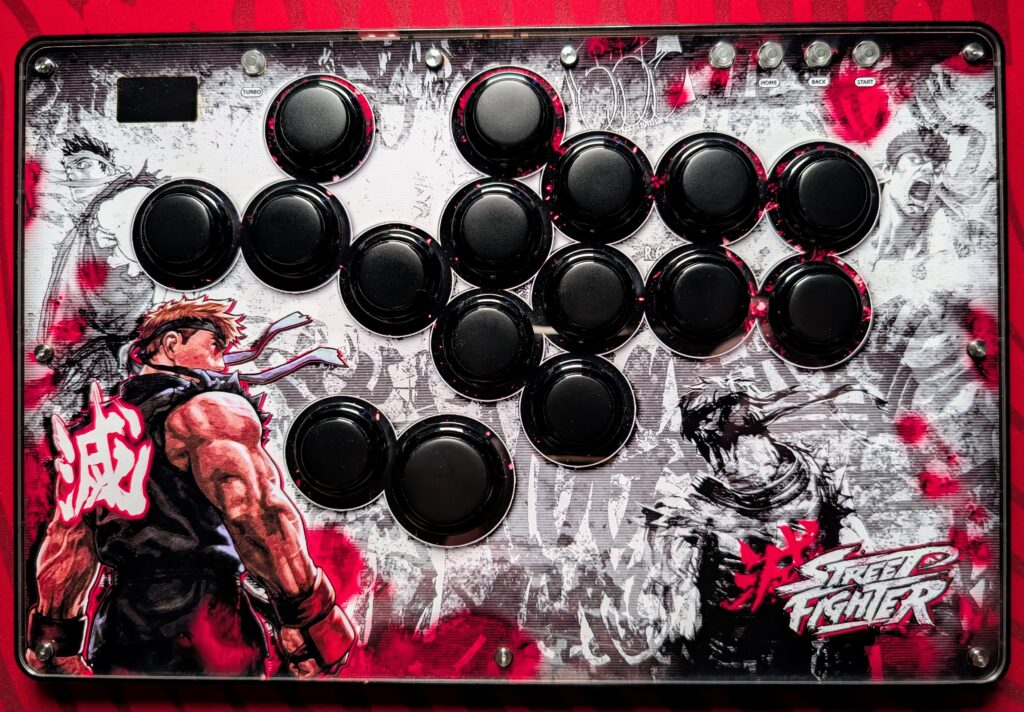
The HS-JOY200 has a slick all-black look that you can also have art on. We at The Arcade Stick can help you with the art customization through our art service. For example, our artist Carlos Martinez designed this art for a similar controller:
Meanwhile, the HS-JOY200 has RGB LEDs in two main places:
- Around the buttons
- Around the controller
Enjoy adjusting the RGB LEDs through the light function button we mentioned earlier!
Conclusion
The HS-JOY200’s spacious 16-button layout unlocks many possibilities. For only 14 buttons, consider the HS-JOY110.
- 16 button layout
- RGB LED buttons & sides
- Low-profile swappable switches
- Turbo functionality
- Web configuration
- Possibility of art
- Big anti-slip pad
- Spacious, thin, light ABS
- Partially inaccurate display
- Function buttons too clicky
Rating
⭐⭐⭐⭐⭐