
| Price | AliExpress & Amazon |
| Release | Circa April 2025 |
| Compatibility | NS2 / PC / Android |
| Dimensions | 7.8″ x 3.9″ x 0.4″ |
| Weight | ~0.88 lbs |
Introduction
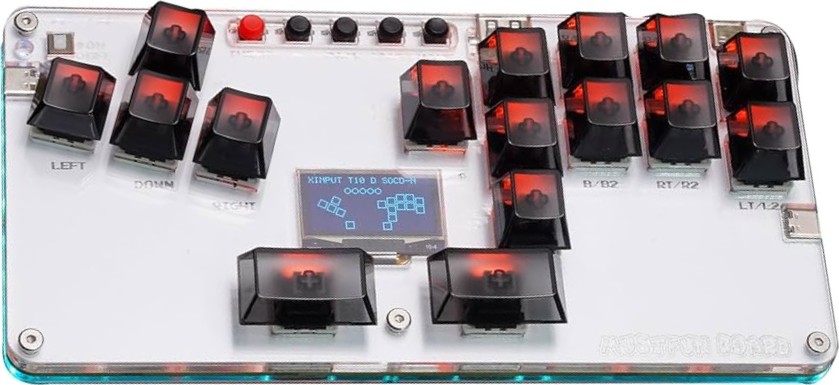
It must be fun to play with the MustFun Board! Yes, it looks an awful lot like the Haute42 B16, but it’s different enough to be worth considering. Here’s why…
Unboxing
With your MustFun Board order, you can also expect:
- Two spare keys
- Spare switch
- Switch puller
- USB-C cable
- 10 anti-slip feet
- Quick start guide
Performance
The MustFun Board is a 16 key controller. Essentially, it has four extra keys:
- Left middle finger key
- Right thumb key
- Right thumb/index key
- Right index key
You can press the MustFun Board’s left middle finger key as the jump key in the ergonomically slanted WASD key cluster. Otherwise, instead of one thumb key, you have two thumb keys that you can map to jump as well, for example.
Close to the MustFun Board’s right thumb key is a key in the attack key cluster that you can press with your right thumb or index. Finally, on the attack key cluster’s left is a right index key.
Having said that, one way the MustFun Board is different from the Haute42 B16 is that its function buttons are close to each other instead of being spread out. That said, here are the function buttons’ labels:
- Turbo
- –
- Back
- Start
- Home
On a side note, the MustFun Board has a nifty on/off toggle that’s extremely rare to find on such controllers, well, at least at the time of this writing.
That aside, while the MustFun Board can use LEOBOG Graywood V4 linear switches like the Haute42 B16, it can also use Moonlight linear switches. Here’s a quick guide to help you choose the switches:
| Switch | Actuation | Travel |
|---|---|---|
| Graywood | 40 gf | 3.6 mm |
| Moonlight | 37 gf | 3.4 mm |
Hardware
The MustFun Board is an acrylic controller that’s small enough to fit into a big pocket. Yet, it has a whopping four USB ports. That’s correct: it’s got three USB-C ports and one USB-A port despite having a portable form factor.
You see, the three USB-C ports are on the left, right, and in the back, whereas the USB-A port is in the back. This USB-A port is effectively an EXT port where you can insert your own adapter to make the MustFun Board compatible with even more consoles.
More than that, the MustFun Board features a slick 1.3″ OLED screen that can show you important information like:
- Input mode
- Turbo mode
- Directional mode
- SOCD cleaning mode
- Button press animation
Such shenanigans are made possible by the robust RP2040 chip and GP2040-CE firmware combo that the MustFun Board uses. The excellent firmware is low latency, open source, updatable online, and supports web configuration.
Appearance
The MustFun Board looks simple and fairly elegant. The main way you can customize its look when ordering it is with black or clear keys. Just note that the black keys come with LEOBOG Graywood V4 switches, while the clear keys come with Moonlight switches.
Other than that, one reason you might want to go for the clear keys is because they show the RGB LEDs better. The MustFun Board as a whole has backlighting, actually.
Now, if you dare to customize your MustFun Board’s art, feel free to reach out to us here at The Arcade Stick. As a matter of fact, here’s an example of art by our designer Carlos Martinez for the similar Haute42 B16:
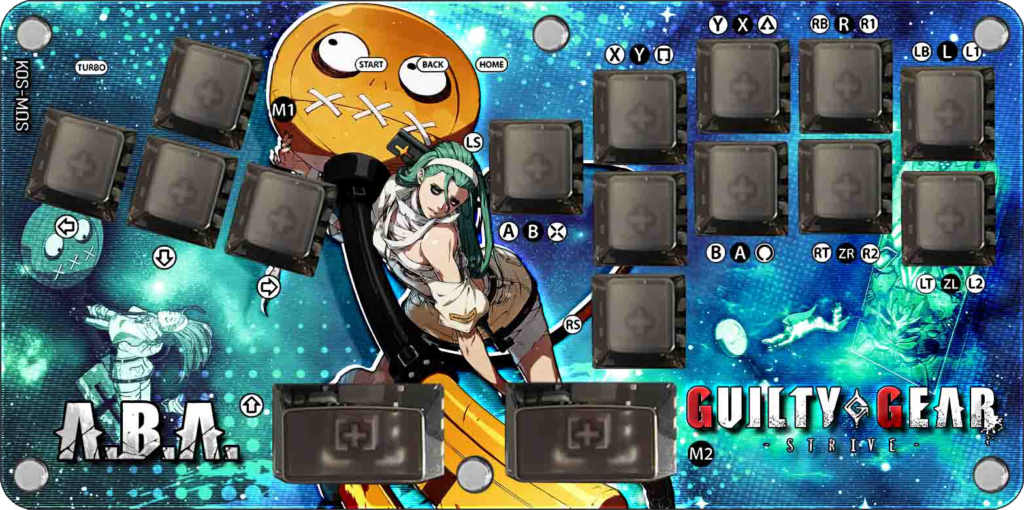
(Got some MustFun Board digital art already? We can print it for you through our same Haute42 B16 listing.)
Conclusion
The MustFun Board is like a miracle for keyboard players looking to transition into leverless controllers, and its spacebar-like thumb keys are overpowered. It’s also a great travel companion.
- 16-key split layout
- Black or clear keys
- Switch options
- Four ports
- Acrylic layers
- Fancy LEDs
- OLED screen
- On/off toggle
- Portable design
- Excellent firmware
- Compatibility extension
Rating
⭐⭐⭐⭐⭐